Setting up an ATP programme
A step-by-step guide to implementing an effective ATP hygiene monitoring programme in your production environment.
From zero to a working programme in 6 steps
A well-designed ATP monitoring programme is the foundation of your food safety policy. Below you will find a practical guide based on the Charm Sciences methodology.
Identify critical test locations
Determine which surfaces and equipment pose the highest contamination risk. Focus on food-contact surfaces, hard-to-clean areas and locations after critical cleaning points.
Set threshold values (PASS/FAIL)
Determine the RLU threshold values for PASS and FAIL based on your production environment and risk analysis. Conduct a validation study to determine realistic values.
Train your staff
Ensure all operators master the correct swab technique and understand how to interpret and document results.
Create a test schedule
Determine how often each location is tested. Critical locations daily, less critical ones weekly. Use the Smart Plan feature in novaLINK 6 for randomised testing.
Implement data management
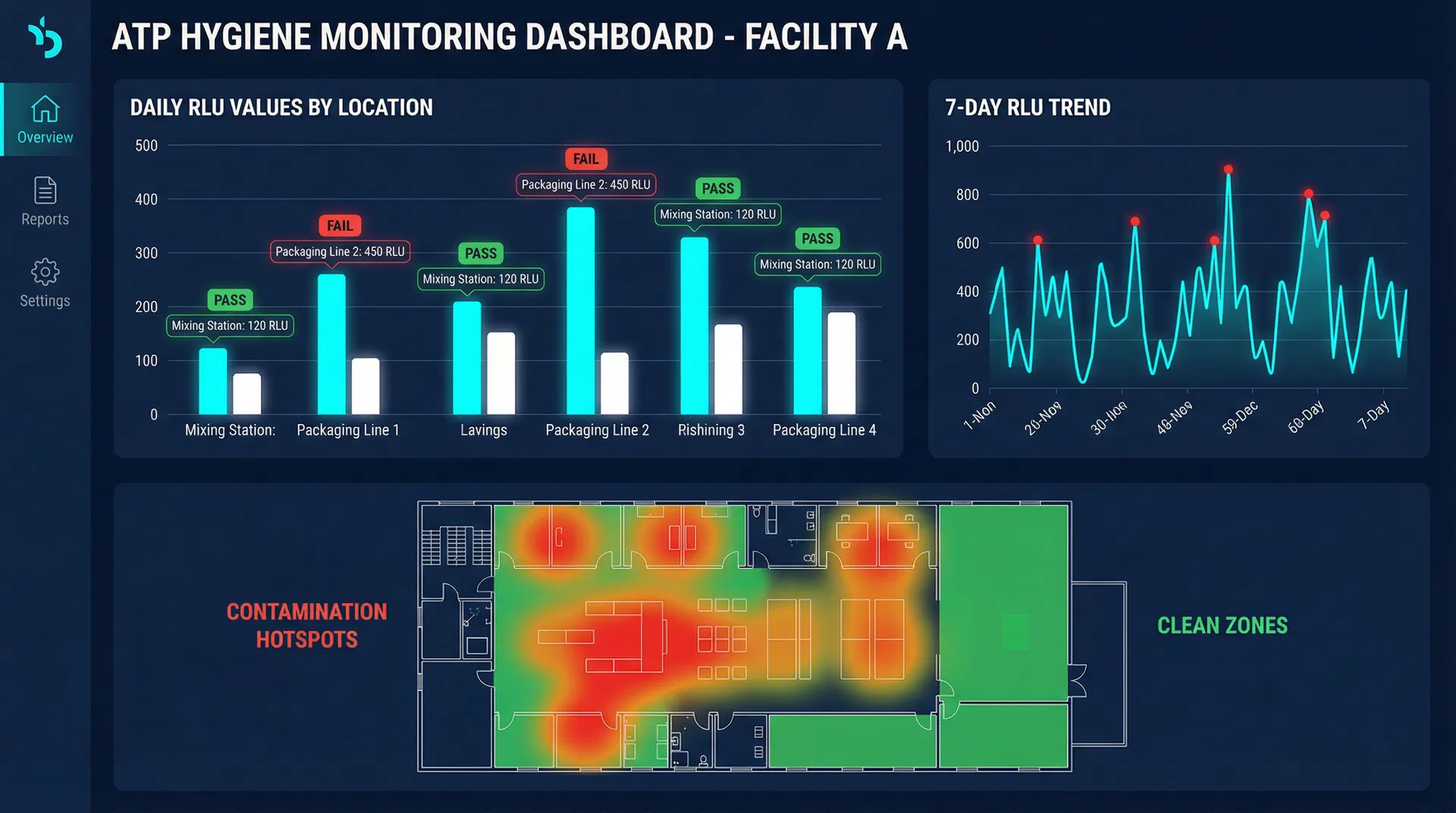
Configure novaLINK 6 software for automatic data storage, reporting and trend analysis. Set up automatic alerts for FAIL results.
Evaluate and improve continuously
Review trend data monthly and adjust your cleaning procedures based on the results. Use the data for continuous improvement.
novaLINK 6 — The heart of your programme
novaLINK 6 is the central data management system that manages your ATP monitoring programme. It provides everything you need for a professional programme.
Best practices & common mistakes
Best practices
- ✓ Always test before production start (pre-op)
- ✓ Use the same swab technique consistently
- ✓ Document corrective actions for FAIL
- ✓ Review trend data monthly
- ✓ Calibrate the instrument daily
- ✓ Store swabs correctly (room temperature or refrigerated)
✗ Common mistakes
- ✗ Choosing too few test locations
- ✗ Not validating threshold values
- ✗ No corrective action for FAIL
- ✗ Storing swabs at wrong temperature
- ✗ Not training new operators
- ✗ Not reviewing or analysing data
We use cookies
We use cookies to improve your experience and analyse our website. Essential cookies are always active. You can accept or decline analytical cookies.